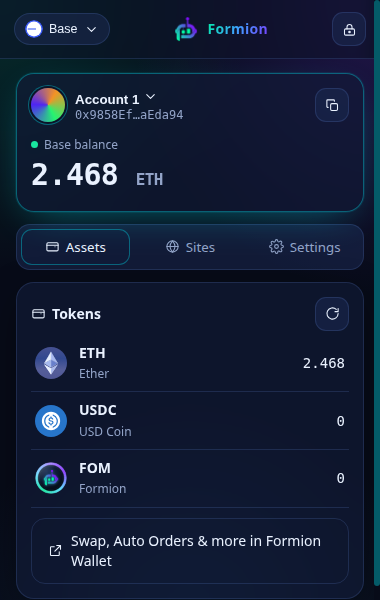
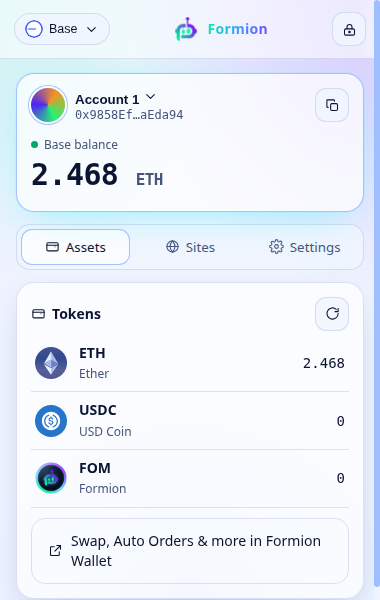
Self-custody wallet for Chrome. Connect to any dApp on Ethereum, Base, Arbitrum and BNB Chain — every signature and transaction is reviewed in a Formion window first.


Works everywhere
One recovery phrase for Ethereum, Base, Arbitrum, BNB Chain, Solana, Tron and Sui. The extension shows up in the “Connect wallet” list of every modern dApp, and you choose which site sees your account.
What makes it different
Protection on every signature, plus the tools traders actually use — inside the same extension.
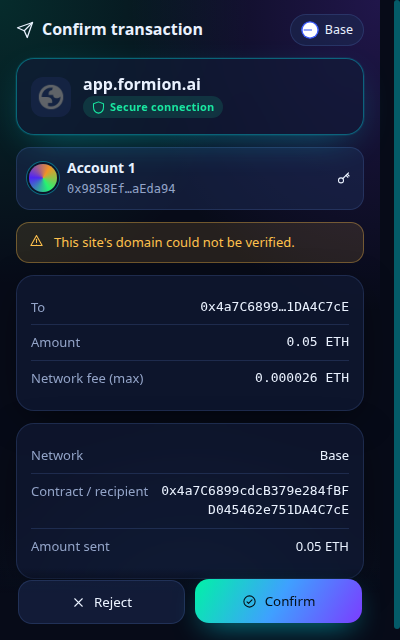
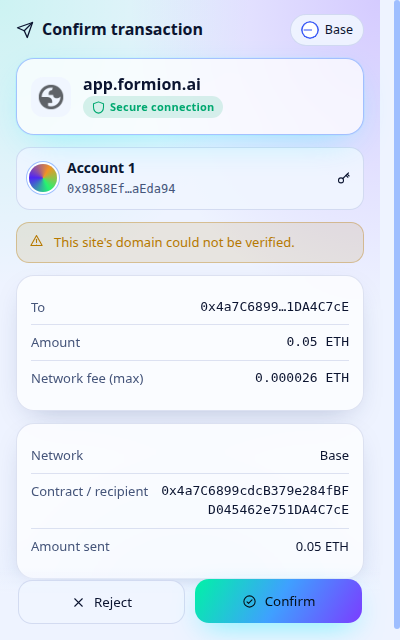
Every request opens a Formion window that shows the site, who gets paid, how much and what the signature allows.
If a site asks for a higher fee or gas limit than the network needs, Formion caps it before you confirm.
Buy on autopilot from $1: DCA, limit and grid orders, or ETH price rules. Every fill is price-protected on-chain.
Not available in the US, EU/EEA, UK and some other countriesEvery new token on Ethereum, Base, BNB Chain and Solana, scored for risk from its very first minute.
Paste any contract and see honeypot, tax, owner and holder risks before you buy — plus a live FOM explorer.
Your recovery phrase is encrypted in your browser and never leaves it. Formion never sees or stores your keys.
60-second tour
Install in under a minute
Formion Wallet is live on the Chrome Web Store. Add it to Chrome in one click.
Confirm Add extension in the window Chrome shows.
Open the puzzle icon in the toolbar and pin Formion Wallet.
Create a new wallet or import your recovery phrase.
Manual install: formion-wallet-extension-0.1.1.zip · SHA-256 fa0554822b5b9df41724064103f76dc080b7c191bffe3c2c05ef925ce3e7fc3d · chrome://extensions → Developer mode → Load unpacked.
Only download Formion Wallet from formion.ai/extension or the Chrome Web Store. We will never ask for your recovery phrase.

Install Formion Wallet and see exactly what you sign — on every dApp, every time.
Add to Chrome